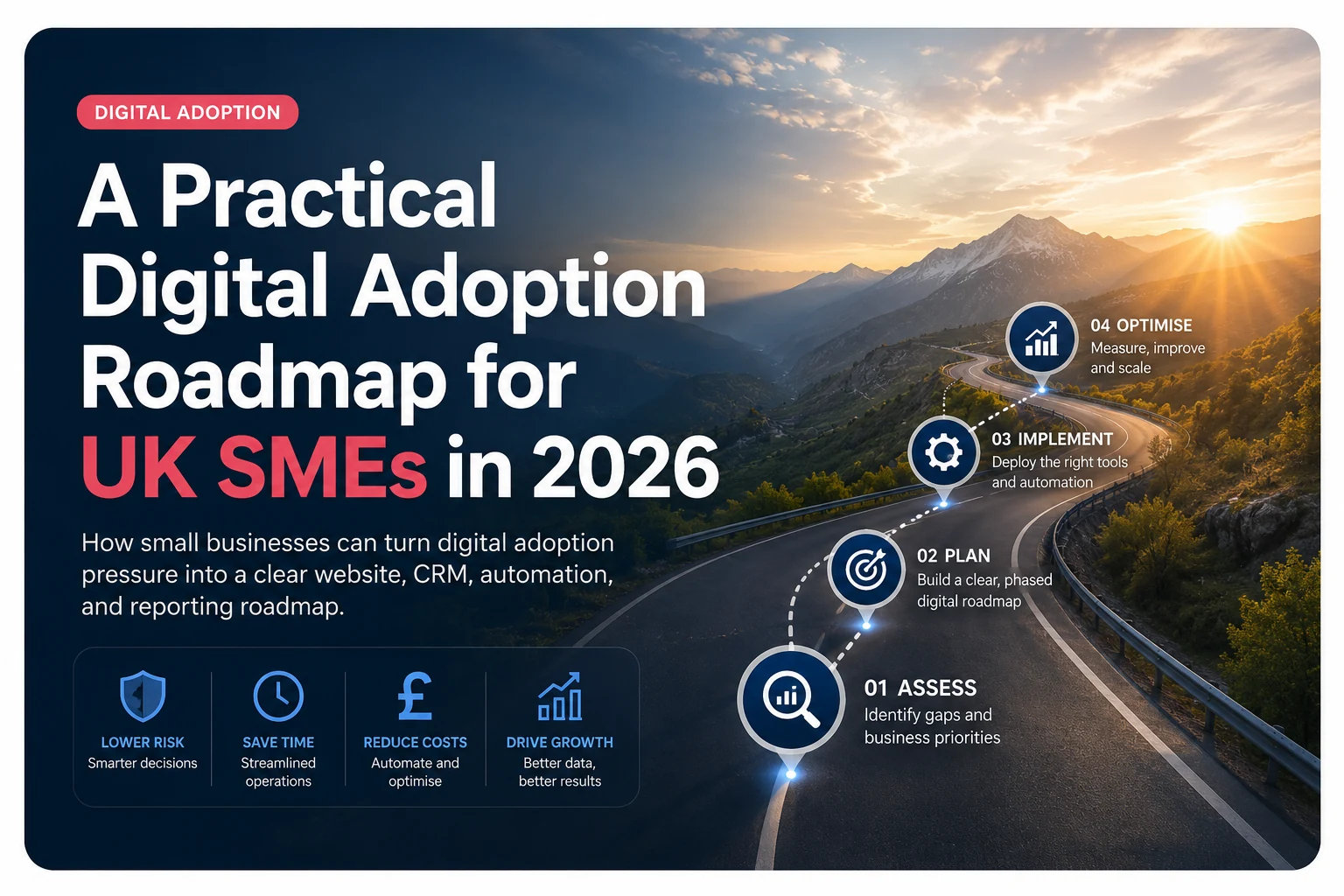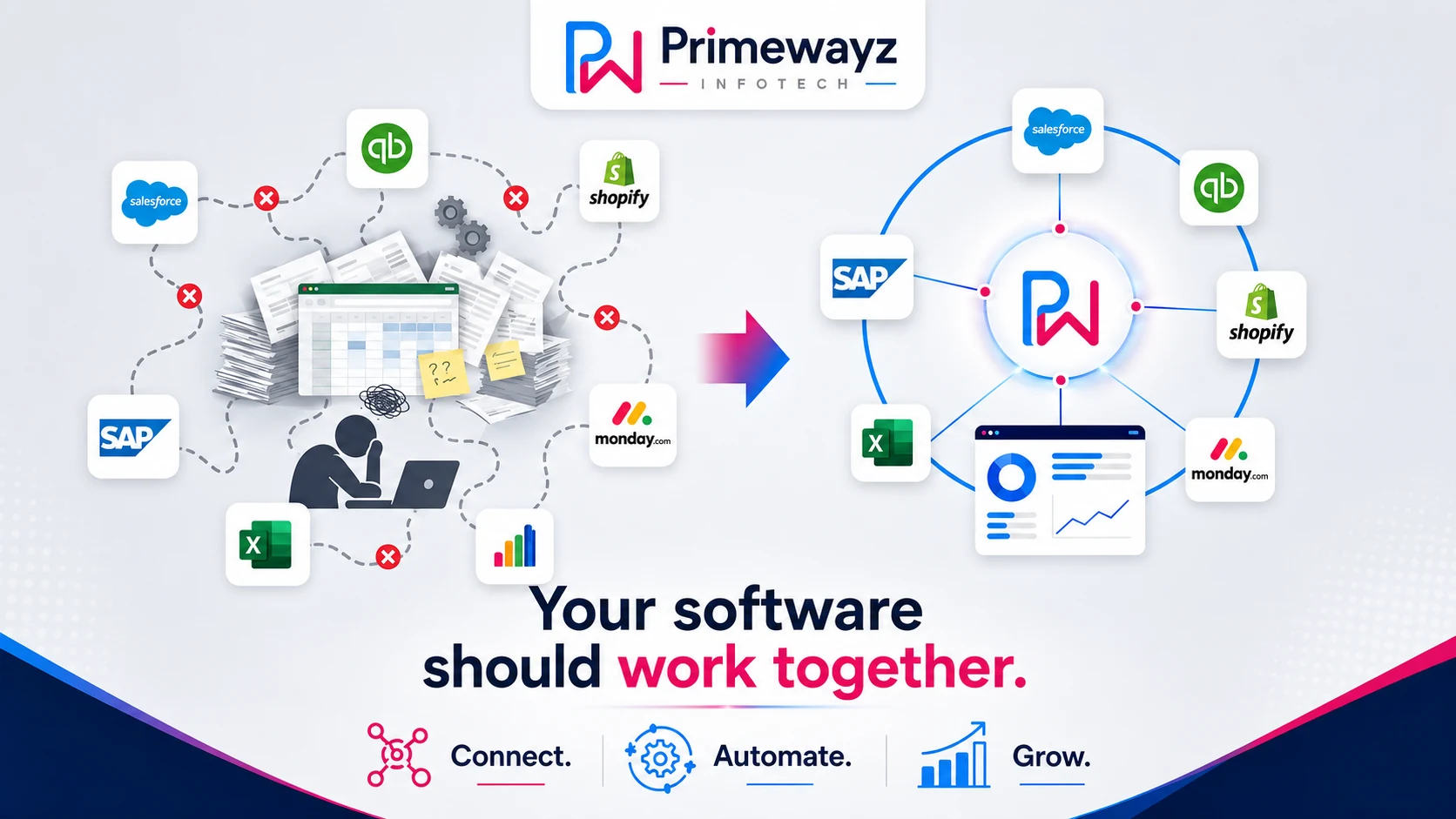
Business software often underperforms because data, workflows, reporting, and responsibility remain disconnected between otherwise capable systems. Before buying or replacing another platform, identify where manual handovers, duplicate entry, delays, and unreliable reports are occurring.
- Configure an existing system when useful capability is already available but poorly set up.
- Integrate systems when information must move reliably between applications.
- Extend a system when a small missing capability is blocking an important workflow.
- Retire overlapping software when it adds cost without a clear operational purpose.
- Replace software only when the product itself is the genuine constraint.
It is Monday morning, and before the team meeting starts, someone is pulling numbers from three different places: the CRM, an export from the accounting system, and a spreadsheet that one person maintains because nobody fully trusts the official reports.
The CRM, accounting platform, ecommerce system, and job-management tool may each work as intended. Yet the team still assembles the truth by hand because the workflow between them is fragmented.
This is what disconnected business systems look like in practice. The problem is not limited to applications that cannot technically exchange data. It also appears when records are duplicated, ownership is unclear, handovers depend on people, and reporting cannot be trusted without manual correction.
Your business may already own most of the technology it needs. The value is being lost between systems, processes, data, ownership, and improvements that remain stuck in a backlog.
Before buying another platform, UK SMEs should ask a more commercially useful question: where is operational value leaking from the systems we already pay for?
The problem is not always the tools
Growing businesses rarely build their technology environment from one master plan. Systems are added progressively as new needs emerge:
- A CRM is introduced to organise leads and customer relationships.
- An accounting platform is adopted to improve financial control.
- An ecommerce or booking system supports new routes to market.
- A project or job-management tool helps teams coordinate delivery.
- Spreadsheets fill gaps that the formal systems do not cover.
- Email and messaging become unofficial workflow-management tools.
- Bespoke applications are added for business-specific requirements.
Each decision may be reasonable in isolation. The difficulty appears later, when nobody is responsible for making the complete environment operate as one connected business system.
Why capable software still underperforms
Software value depends on more than the features available in a product. It also depends on how well the system fits the business, how information moves through it, how consistently people use it, and whether someone owns its continuing improvement.
1. The workflow crosses several systems
A customer journey may begin on the website, move into the CRM, create work in a delivery platform, produce an invoice in the accounting system, and finish in a management report. When those transitions depend on copying, exporting, retyping, or remembering, the applications are being connected by human effort rather than a controlled workflow.
2. The configuration reflects an older version of the business
Processes change as teams, services, transaction volumes, approval requirements, and customer expectations grow. A configuration that was adequate two years ago may no longer reflect how the company operates today.
3. Nobody owns the space between products
The CRM provider supports the CRM. The accounting provider supports the accounting platform. The website supplier supports the website. But the operational problem often exists between those products, where data, decisions, and responsibility must cross system boundaries.
4. Temporary workarounds become permanent processes
A spreadsheet, email notification, manual reconciliation, or copy-and-paste step may solve an immediate problem. Once embedded in everyday work, however, the workaround becomes difficult to remove. New employees are trained to follow it, reporting depends on it, and the underlying system gap becomes less visible.
5. The business measures activity instead of outcomes
A platform can contain thousands of records and still create limited commercial value. Login counts, stored contacts, sent emails, and completed fields do not prove that the software is reducing processing time, preventing errors, increasing conversion, accelerating delivery, or improving management decisions.
One recurring delivery pattern is that each supplier can support its own application while nobody owns the handover between applications. The result is a backlog of useful reports, integrations, rules, and workflow changes that remain without a clear owner or delivery route.
Seven signs your software is not paying you back
- Management reporting begins with exports. Routine questions cannot be answered without downloading, merging, cleaning, or manually correcting data.
- The same information exists in several places. Customer, order, project, or financial data is duplicated across applications and spreadsheets.
- Only one person understands the real process. A critical workflow depends on undocumented knowledge held by one employee.
- Staff work around the system. Important tasks happen in email, chat, local documents, or personal trackers instead of the agreed platform.
- Small improvements never get delivered. The business has a growing list of fixes, reports, integrations, and workflow changes but no dependable delivery route.
- Customers experience avoidable delays. Employees must check several systems or ask colleagues before confirming basic information.
- Software renewal is based on habit. Licences are renewed without evidence that the system is improving performance or replacing manual work.
A spreadsheet may be the right tool for a small, controlled task. The warning sign is when it becomes an unofficial operating system for a critical workflow without clear ownership, validation, access control, or reliable integration.
Start by measuring the operational gap
Software value should be measured through the work it improves, not only through licence cost or feature availability. A practical review begins by recording what happens today before deciding what technology should change.
Useful baseline measures include:
- Time required to complete a recurring process
- Number of manual handovers between systems or teams
- Duplicate data-entry steps
- Frequency of errors, corrections, and rework
- Time spent preparing routine management reports
- Lead or customer response time
- Volume of work managed outside the official system
- Number of unresolved improvement requests
These measures turn a vague concern such as “the CRM is not working” into a specific operational problem such as “sales staff spend six hours each week correcting records before pipeline reporting can be trusted.”
How to make existing software pay the business back
The goal is not to automate everything or replace every imperfect system. It is to remove the operational gaps that create the greatest cost, delay, risk, or customer friction.
1. Remove unnecessary work before automating it
Do not automate a process simply because it is manual. First check whether every step is still necessary, whether approvals can be simplified, and whether duplicate checks can be removed. Automating a poor process usually makes the poor process run faster.
2. Decide which system owns each key record
Customer, order, project, invoice, and service-status data should each have a clearly defined source of truth. Other systems may display or use that information, but ownership must be explicit so employees know where records should be created, corrected, and maintained.
3. Connect the critical handovers
Not every application needs a complex integration. Prioritise the handovers where delay or re-entry creates measurable problems: website enquiry to CRM, approved work to delivery, completed work to invoicing, and operational data to management reporting. Targeted CRM and workflow automation support can remove repeated administrative effort without rebuilding the entire technology environment.
4. Turn the improvement backlog into small releases
Break large ambitions into improvements that can be designed, delivered, tested, and measured independently. A report, integration, approval workflow, data-quality rule, or customer-status feature may create value long before a wider transformation programme is complete. Dependable monthly software development capacity gives the business a route for progressing these changes continuously.
5. Protect the improvements after launch
New workflows still need monitoring, documentation, ownership, security updates, and adjustment as the business changes. Without ongoing attention, integrations fail quietly, dashboards lose trust, and manual workarounds return. Structured maintenance and improvement support helps preserve the value already created.
Prioritise work by the business result it should improve: hours saved, errors prevented, response time reduced, revenue protected, reporting confidence increased, or customer delay removed. This keeps technology decisions connected to measurable value.
How to measure whether an improvement pays back
A software improvement does not need to transform the whole company to justify itself. It needs to create a measurable benefit that is greater than the cost and risk of delivering and maintaining it.
A simple monthly value estimate can include:
- Time saved: hours removed from recurring work multiplied by the realistic employment cost of the people involved.
- Errors prevented: the average cost of corrections, refunds, delays, missed invoices, or management intervention.
- Revenue recovered: opportunities protected through faster response, better follow-up, cleaner handovers, or fewer abandoned enquiries.
- Risk reduced: exposure removed through better access control, reliable records, documented processes, or monitored integrations.
- Decision speed improved: reporting time reduced and management confidence increased.
Estimated monthly benefit = time saved + avoidable error cost removed + revenue protected or recovered.
Compare that benefit with the delivery cost, ongoing support requirement, and expected payback period. The estimate does not need to be perfect, but the assumptions should be visible and reviewable.
For example, an integration that saves 20 staff hours each month, prevents repeated invoice corrections, and shortens customer response time may justify itself even if it does not remove an entire role or produce an immediate increase in sales.
The most useful measures should be recorded before implementation and reviewed again after 30, 60, and 90 days. Without a baseline, teams can complete technical work without proving whether the operational problem improved.
A practical 90-day software-value plan
Days 1–30: Find the leakage
- List the systems used across sales, operations, finance, service, and reporting.
- Map one or two critical workflows from beginning to end.
- Record manual handovers, duplicate entry, delays, corrections, and unofficial spreadsheets.
- Identify which system should own each important record.
- Capture baseline measures for time, errors, response speed, and reporting effort.
A focused digital systems review can provide this diagnostic baseline before development begins.
Days 31–60: Deliver the highest-value improvement
- Select one problem with a clear owner and measurable business impact.
- Simplify the workflow before introducing automation.
- Deliver the smallest useful integration, report, rule, or feature.
- Test the change with the employees who perform the work.
- Document ownership, exceptions, and support requirements.
Days 61–90: Measure, stabilise, and continue
- Compare the new process with the original baseline.
- Confirm whether time, errors, delays, or customer friction decreased.
- Resolve reliability, usability, data-quality, and adoption issues.
- Move the next highest-value improvement into delivery.
- Review unused licences and overlapping tools only after workflow needs are understood.
This approach creates evidence before the business commits to a large replacement programme. It also turns technology improvement into a repeatable operating discipline instead of an occasional rescue project.
Should you improve, integrate, extend, retire, or replace the software?
Identifying a system problem does not automatically justify integration or replacement. The right response depends on whether the limitation sits inside the application, in its configuration, between systems, in the surrounding business process, or in an overlapping tool that no longer serves a clear purpose.
Improve the existing system when
- The product supports the required workflow but has been poorly configured.
- Employees need cleaner screens, reports, permissions, rules, or guidance.
- Data quality and inconsistent usage are the main barriers.
- The improvement backlog is practical and commercially measurable.
Integrate systems when
- The same information is repeatedly entered into multiple applications.
- Important handovers depend on exports, email, or manual notification.
- Management reporting requires data from several reliable systems.
- A controlled data flow would remove recurring delay or error.
Extend the environment with custom software when
- An important workflow is specific to the business and poorly served by standard products.
- A lightweight application or integration layer can close a measurable gap.
- The company needs a controlled experience across several existing platforms.
- The value of the improvement is greater than its delivery and maintenance cost.
Retire a system when
- Another platform already provides the same capability more reliably.
- The tool has no clear owner, active workflow, or measurable business purpose.
- Employees maintain it only because historical data or habits have never been reviewed.
- Its licence, support, and reconciliation costs exceed the value it contributes.
Replace a system when
- It cannot support the business's essential workflow or future direction.
- The product is unsupported, insecure, unreliable, or technically obsolete.
- Maintaining workarounds costs more than moving to a suitable platform.
- Data access, integration, compliance, or reporting limitations cannot be resolved safely.
- The organisation has the ownership, migration plan, training, and capacity required to make replacement successful.
Moving the same unclear process, duplicated data, weak ownership, and manual controls into a newer platform can reproduce the same problems at a higher cost. Process clarity and measurable outcomes should come before product selection.
The software should improve the business, not create more administration
Disconnected systems are a symptom, not a complete diagnosis. Integration may be the correct response, but so may better configuration, simpler process design, clearer ownership, cleaner data, a small extension, retirement of an overlapping tool, or replacement of a genuine constraint.
The strongest starting point is usually:
- Understand how work actually moves through the business.
- Measure the cost of manual effort, delay, error, and unreliable reporting.
- Clarify ownership of systems, data, and business outcomes.
- Prioritise a small number of commercially valuable improvements.
- Deliver, measure, stabilise, and continue.
This turns software from a collection of recurring expenses into an operating capability that improves alongside the business.
Primewayz UK helps SMEs identify where operational value is being lost and define the smallest practical improvement that can be measured before a wider programme begins.
Before replacing or integrating another system, identify where time, trust, revenue, or customer experience is being lost. Start with the Digital Systems Review or book a UK discovery call.